How to Change the Battery in the Tapo SolarCam C403
📷🔋☀️
Abstract
The Tapo SolarCam C403 is designed as a low-maintenance, solar-assisted security camera, but “solar-powered” does not mean battery-free. Understanding how to change the battery correctly is critical for maintaining uptime, avoiding false offline alerts, and protecting the internal power management circuit. This guide explains when and how to replace the battery in the Tapo SolarCam C403, what battery type it uses, how solar charging interacts with the battery, and what mistakes commonly shorten battery life in real-world installations.
🔍 Understanding the Power System of the Tapo SolarCam C403
The Tapo SolarCam C403 uses a rechargeable lithium battery supported by an external or integrated solar panel.
Key design points:
-
Battery is the primary power source
-
Solar panel acts as a maintenance charger, not a continuous supply
-
Camera operates even without sunlight, until battery depletion
Direct conclusion: The battery is not optional—it is mission-critical.
🔋 What Battery Does the Tapo SolarCam C403 Use?
While TP-Link does not market the battery as a consumer-swappable commodity, the system typically includes:
-
Rechargeable lithium-ion or lithium-polymer battery
-
Nominal voltage: 3.6–3.7V
-
Integrated protection circuit (PCM)
-
Custom form factor designed for enclosure fit
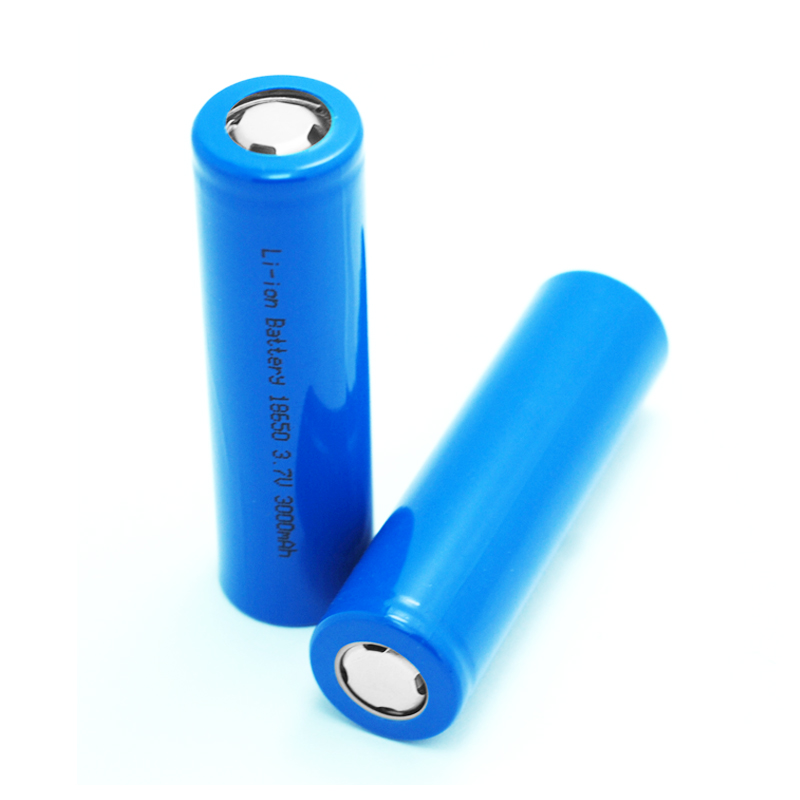
Industry reality: this is not a generic 18650 swap-in system.
⏳ When Should You Change the Battery?
🔧 From a practical and engineering standpoint, battery replacement is recommended when:
-
The camera frequently goes offline despite sunlight
-
Battery percentage drops rapidly overnight
-
Full solar exposure no longer restores charge
-
Runtime falls below 2–3 days under light use
Typical lifespan:
-
2–3 years depending on climate, motion frequency, and charging cycles
Solar charging reduces depth of discharge—but does not stop aging.
🛠️ How to Change the Battery in the Tapo SolarCam C403
🔒 Follow these steps carefully to avoid water ingress or connector damage.
Step-by-Step Replacement Process
🔹 Power off the camera via the Tapo app
🔹 Remove the camera from its mounting bracket
🔹 Open the battery compartment (rear housing)
🔹 Disconnect the battery connector gently
🔹 Remove the old battery without pulling wires
🔹 Install the new battery, matching connector orientation
🔹 Reseal the compartment firmly
🔹 Re-mount the camera and power it on
Important note: Always confirm the rubber gasket is seated correctly before closing.
🌧️ Weatherproofing Matters More Than Speed
The C403 is designed for outdoor use, but battery replacement temporarily breaks its environmental seal.
Engineering insight:
-
Even minor gasket misalignment can cause condensation
-
Moisture damage usually appears weeks later, not immediately
Direct advice: Take your time resealing—this is not a rush job.
⚙️ Battery + Solar Panel Interaction Explained
☀️ Solar charging behavior depends on:
-
Panel orientation
-
Daily sunlight hours
-
Ambient temperature
-
Motion-trigger frequency
The battery buffers energy. Without a healthy battery:
-
Solar charging becomes unstable
-
The camera may reboot repeatedly
-
Night operation becomes unreliable
Conclusion: Solar does not replace battery health—it depends on it.
🧠 Engineer’s Selection Advice (Replacement Battery)
🔩 If sourcing a replacement battery:
-
Match voltage exactly (3.7V nominal)
-
Match physical dimensions precisely
-
Use cells with low self-discharge
-
Ensure integrated protection (OVP, UVP, SCP)
-
Avoid “high-mAh” claims without datasheets
Engineers prioritize cycle stability over advertised capacity.
❌ Common Mistakes Users Make
🚫 Assuming the battery never needs replacement
🚫 Using an unprotected Li-ion cell
🚫 Damaging the waterproof seal
🚫 Replacing battery without powering down
🚫 Mounting solar panel in shaded locations
Most failures blamed on “bad solar panels” are actually battery-related.
❓ FAQ
Can the Tapo SolarCam C403 work without a battery?
No. The battery is required for stable operation, even with solar input.
Is the battery user-replaceable?
Physically yes, but it requires care. It is not designed for frequent swapping.
Does cold weather affect battery life?
Yes. Low temperatures reduce lithium battery capacity and charging efficiency.
Will replacing the battery reset the camera?
No factory reset occurs, but brief reconnection may be required in the app.
🚀 Call to Action
Need a replacement lithium battery for Tapo SolarCam C403, or looking for custom battery packs for solar security cameras?
👉 Contact our technical team for compatible batteries, engineering support, and long-term outdoor power solutions.
Related Articles
Why Are 18650 Batteries Hard to Find?
Can You Use AA Batteries Instead of 18650?
Can an 18650 Battery Have 5000mAh?
What Is a Flat Shape Type Battery Camcorders?
What Gauge Wire to Connect 12V Batteries to Make 24V?